Strategic Modules Guide
Last updated: 2026-04-29
Status: Stable
Purpose
Strategic Modules are optional capability add-ons beyond URIP's core risk aggregation. They require specific connectors to be configured and must be enabled per-tenant in Admin → Modules.
Module Status
| Module | Status | Connectors Required |
|---|---|---|
| CSPM | Production | At least one cloud CSPM connector |
| DSPM | Production (preview UI) | BigID and/or Varonis |
| AI Security | early-access | Snyk, BigID (DSPM data) |
| ZTNA | early-access | Zscaler, Netskope, Entra ID, Okta |
| Attack Path | early-access | 3+ connectors providing asset + risk data |
| Risk Quantification | early-access | Any connector (uses existing risk data) |
Preview means the UI and data model are complete and functional; advanced AI-driven features listed in those modules are roadmap items.
CSPM — Cloud Security Posture Management
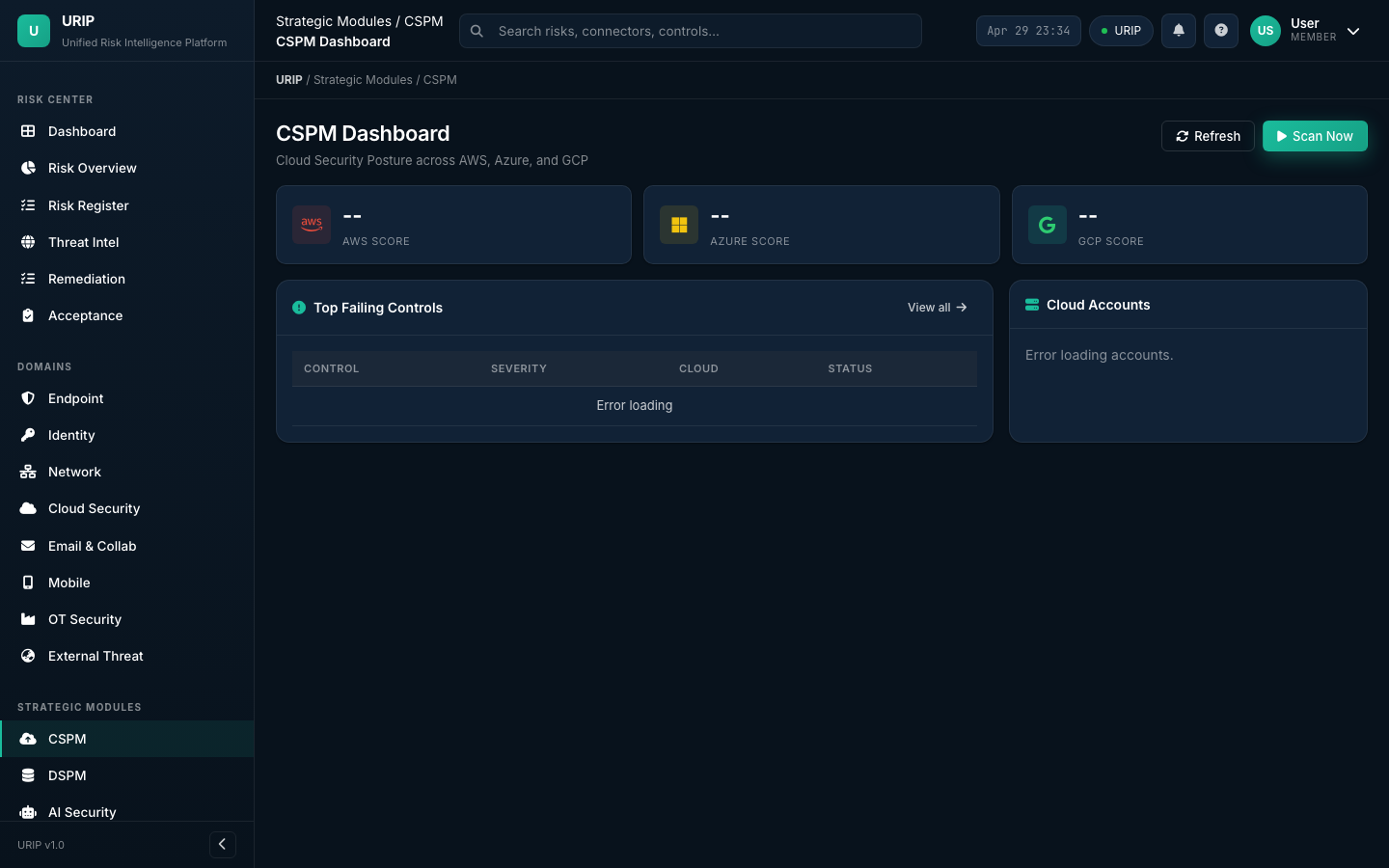
URL: /cspm-dashboard.html
What it does
Evaluates your cloud accounts against CIS Benchmarks and URIP's built-in rule set using native cloud provider APIs. No cloud-side agent is deployed — URIP reads AWS Config, Azure Policy, and GCP Security Command Center.
Setup
- Configure at least one cloud connector: AWS CSPM, Azure CSPM, GCP CSPM, Wiz, Prisma Cloud, or Orca Security
- Go to Admin → Modules → enable CSPM
- Navigate to
/cspm-dashboard.html
Pages
| Page | Purpose |
|---|---|
/cspm-dashboard.html |
Summary KPIs by cloud provider, top failing controls |
/cspm-findings.html |
Full finding list with filter by provider/service/severity |
/cspm-control-detail.html |
Per-control detail with affected resources and remediation |
Key metrics
- Posture Score — percentage of controls passing per cloud provider
- Critical Misconfigs — publicly exposed resources, admin APIs without auth
- Drift Detection — controls that were passing but have since failed (config drift)
Common pitfall
CSPM findings are evaluated against the cloud provider's APIs, not your endpoint agent. A "Critical: S3 bucket public" finding from AWS CSPM and a "High: EC2 instance CVE" from Tenable are different finding types — both appear in the Risk Register but the CSPM detail view only shows posture findings.
DSPM — Data Security Posture Management
URL: /dspm-dashboard.html
What it does
Discovers and classifies sensitive data at rest — structured (databases via BigID) and unstructured (files and shares via Varonis).
Setup
Configure BigID for database scanning or Varonis for file share scanning (or both).
Key findings surfaced
- PII overexposure — sensitive data accessible by more users than business need requires
- Unencrypted sensitive data — credit card numbers or health records in unencrypted storage
- Data sprawl — same sensitive dataset duplicated across multiple cloud buckets
- Stale sensitive data — files not accessed in >1 year containing PII (retention risk)
Compliance linkage
DSPM findings automatically fail relevant compliance controls: - GDPR Article 32 (encryption safeguards) - HIPAA §164.312(a)(2)(iv) (encryption) - PCI DSS Requirement 3 (cardholder data protection) - India DPDP Section 8 (security safeguards)
AI Security Dashboard
URL: /ai-security-dashboard.html
What it does
Aggregates AI governance risk from existing connectors and maps findings to ISO 42001 and EU AI Act controls.
Data sources
- Snyk SCA — vulnerabilities in ML framework dependencies (TensorFlow, PyTorch, scikit-learn)
- BigID DSPM — sensitive data used for AI training
- GitHub Advanced Security — secrets and vulnerabilities in ML repos
- Compliance module — ISO 42001 and EU AI Act control evaluation
Key panels
- AI System Inventory — AI systems registered in URIP's asset inventory
- ML Supply Chain Risks — vulnerable ML package versions (from Snyk)
- Training Data Governance — sensitive data classification for AI datasets (from BigID)
- ISO 42001 Score — control compliance percentage
- EU AI Act Risk Tier — your AI systems' risk tier classification
ZTNA — Zero Trust Network Access
URL: /ztna-dashboard.html
What it does
Provides Zero Trust posture visibility by aggregating device trust, identity trust, and network access anomalies from Zscaler, Netskope, Entra ID, and Okta.
Zero Trust pillars assessed
| Pillar | Data source | What URIP checks |
|---|---|---|
| Device trust | Intune / Jamf / CrowdStrike | Device compliance before network access |
| Identity trust | Entra ID / Okta | MFA enforcement, risky sign-in detection |
| Network access | Zscaler ZPA / Netskope ZTNA | Least-privilege access policy violations |
| Application access | Zscaler / Netskope | Shadow SaaS and unsanctioned app access |
Key metrics
- Zero Trust Maturity Score — composite score across all four pillars
- Non-Compliant Device Access — devices accessing resources despite failing MDM compliance
- Anomalous Access Events — access from unusual locations, times, or patterns
Attack Path Analysis
URL: /attack-path.html
What it does
Visualises multi-hop attack paths from external exposure to your highest-value (T1) assets using graph analysis on the full asset and risk dataset.
How it works
- Graph built from all connected asset + network data (what connects to what)
- Risk scores overlaid on each node (CVEs on each asset)
- External-facing nodes identified (from EASM connector)
- Paths from external → T1 assets scored by exploitability at each hop
- Chains ranked by cumulative exploitability
Key output
- Attack Path List — ranked list of attack chains from external exposure to crown-jewel assets
- Path Detail — each hop visualised with CVE, EPSS, and remediation options
- Blast Radius — if this path is exploited, which assets are affected downstream
Prerequisites
For meaningful attack paths, configure at least: - One EASM connector (external entry points) - One EDR connector (endpoint nodes) - One network connector (network topology)
Cyber Risk Quantification (FAIR)
URL: /risk-quantification.html
What it does
Converts your composite risk scores into financial terms using the FAIR (Factor Analysis of Information Risk) methodology. Enables board-level conversations about cyber risk investment.
Methodology
Annual Loss Expectancy (ALE) =
  Loss Event Frequency (LEF)        ← threat frequency from EPSS + KEV
  × Loss Magnitude (LM)             ← asset business value from T1–T4 tier
  × Control effectiveness gap       ← SafeBreach BAS results (if configured)
Inputs (tenant-configurable)
| Input | Where to configure |
|---|---|
| Asset business value by tier | Admin → Scoring → Asset Value per Tier |
| Currency (USD/GBP/EUR/INR) | Admin → Scoring → Currency |
| Loss categories (Revenue, Regulatory, Reputational) | Admin → Scoring → Loss Categories |
Output
- ALE by Domain — expected annual loss per security domain in currency
- Risk Investment Map — where to invest next security dollar for highest risk reduction
- Top 10 Financially Significant Risks — risks sorted by their contribution to ALE
Honest caveat
FAIR calculation is a modelling framework, not actuarial truth. The outputs are directionally correct and useful for prioritisation decisions. They should not be presented to regulators as precise loss figures without actuarial calibration against real historical loss data for your industry sector.
Enabling Modules
Navigate to /admin-modules.html (super-admin required):
- Select the tenant
- Find the module in the list
- Toggle Enabled
- The module becomes available immediately for all users in that tenant
Module codes:
| Module | Code |
|---|---|
| Core (mandatory) | CORE |
| Vulnerability Management | VM |
| EDR | EDR |
| CSPM | CSPM |
| DSPM | DSPM |
| AI Security | AI_SECURITY |
| ZTNA | ZTNA |
| Attack Path | ATTACK_PATH |
| Risk Quantification | RISK_QUANT |
See Also
- USER_GUIDE.md — Strategic Modules
- CONNECTOR_CATALOGUE.md
- guides/admin-settings.md — Enabling modules per tenant